One place to run the rental experience.
A responsive landing experience introducing AI-assisted operations for short-term rental businesses.
A closer look at the work.
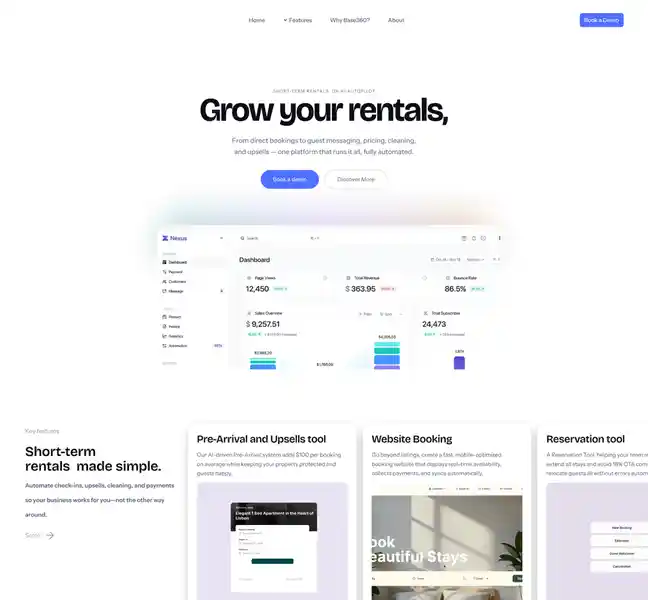
Base 360 introduces a platform proposition for short-term-rental operators: bring direct bookings, guest messaging, pricing, cleaning and upsells into one connected experience.
The design challenge is primarily communicative. A broad, operations-heavy platform needs to feel approachable to an operator who may only have a moment to decide whether the product is relevant.
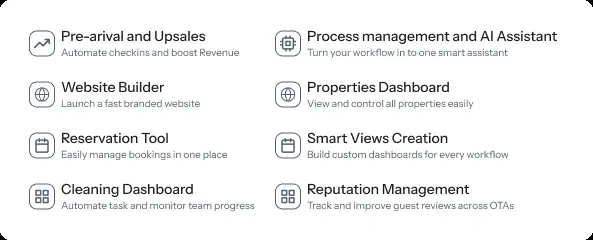
Present the whole operation without presenting every tool.
Base 360's product message describes rental operations on AI autopilot. The experience must communicate scope without turning the first encounter into a wall of features.
This case study describes the information-design opportunity visible in the Figma screens. It does not claim that interviews, usability tests or conversion measurements took place.
Lead with an outcome, then explain the moving parts.
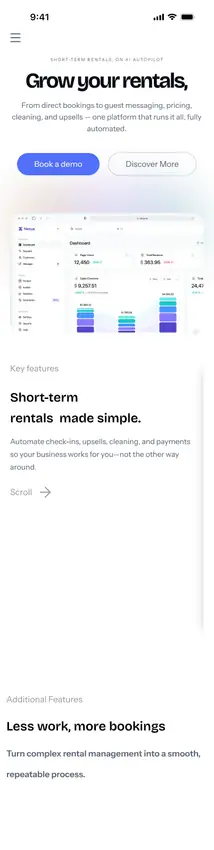
The mobile hero communicates the central promise with the phrase “short-term rentals, on AI autopilot” and describes a connected platform for bookings, messaging, pricing, cleaning and upsells.
Instead of starting with implementation details, the page introduces what the product helps an operator achieve. That creates a clear hierarchy between the promise and the supporting capabilities.
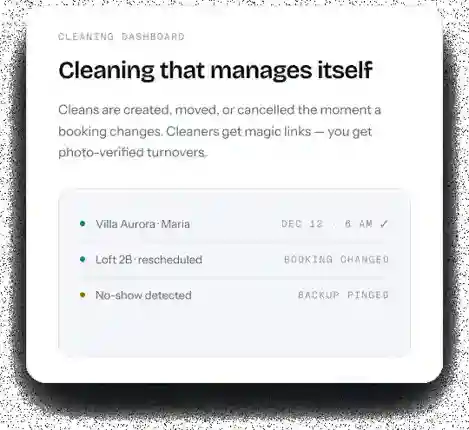
Build repeatable patterns to carry a complex story.
The Figma file includes separate reusable component sets and content frames as well as assembled pages. Those are meaningful evidence of interface-system thinking.
Reusable layout, spacing and treatment can help a multi-feature SaaS product keep a coherent identity while its content grows. Accessibility and token governance have not been verified.
Adapt the rhythm, not merely the width.
The Figma work contains a dedicated 402-pixel-wide mobile page as well as a 1728-pixel desktop composition. In mobile, a clear headline and compact product description prioritize comprehension on a narrow screen.
The presence of both variants is design evidence, not proof of production responsiveness across every device.
Make the next step feel proportionate.
The desktop design includes a 'Book a Demo' call to action. For a product that spans many operational tasks, this offers a concrete next step without asking a visitor to understand every feature first.
A useful future experiment would test whether visitors can explain the platform in their own words and whether demo intent differs by operator size or portfolio maturity.
Clarity is the first conversion.
The strongest part of the visible design is a crisp, outcome-led proposition paired with dedicated desktop and mobile layouts.
The next steps would be validation of copy comprehension, navigation hierarchy, accessibility, mobile interactions and demo conversion against a documented baseline. These outcomes should be measured rather than assumed.
When the platform does many things, the interface's first job is to make the value feel unmistakable.
This draft reflects the visible Base 360 Figma frames. The embedded “Base360 — Six-part case study” text is stored in a SPEC_BLOCK that the Figma design API does not expose as readable paragraphs. Confirm authorship, original narrative, metrics and sharing permissions before publication.