Two stages. One coherent learning journey.
Designing a responsive academy experience for people starting and scaling their businesses.
A closer look at the work.
Flex Academy's designs organize learning around two distinct contexts: Starting and Scaling. A shared page structure supports those paths while preserving relevant information for each audience.
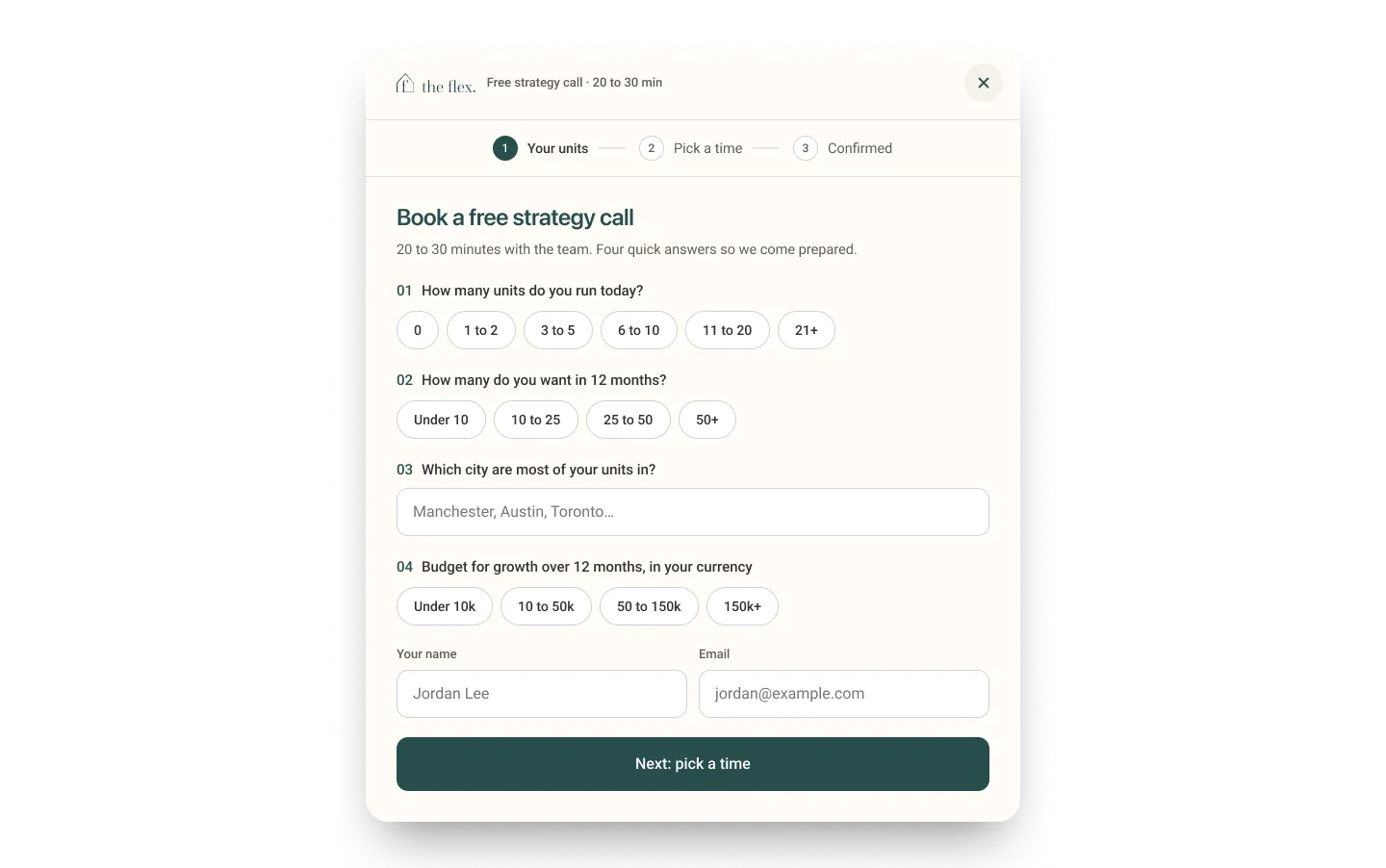
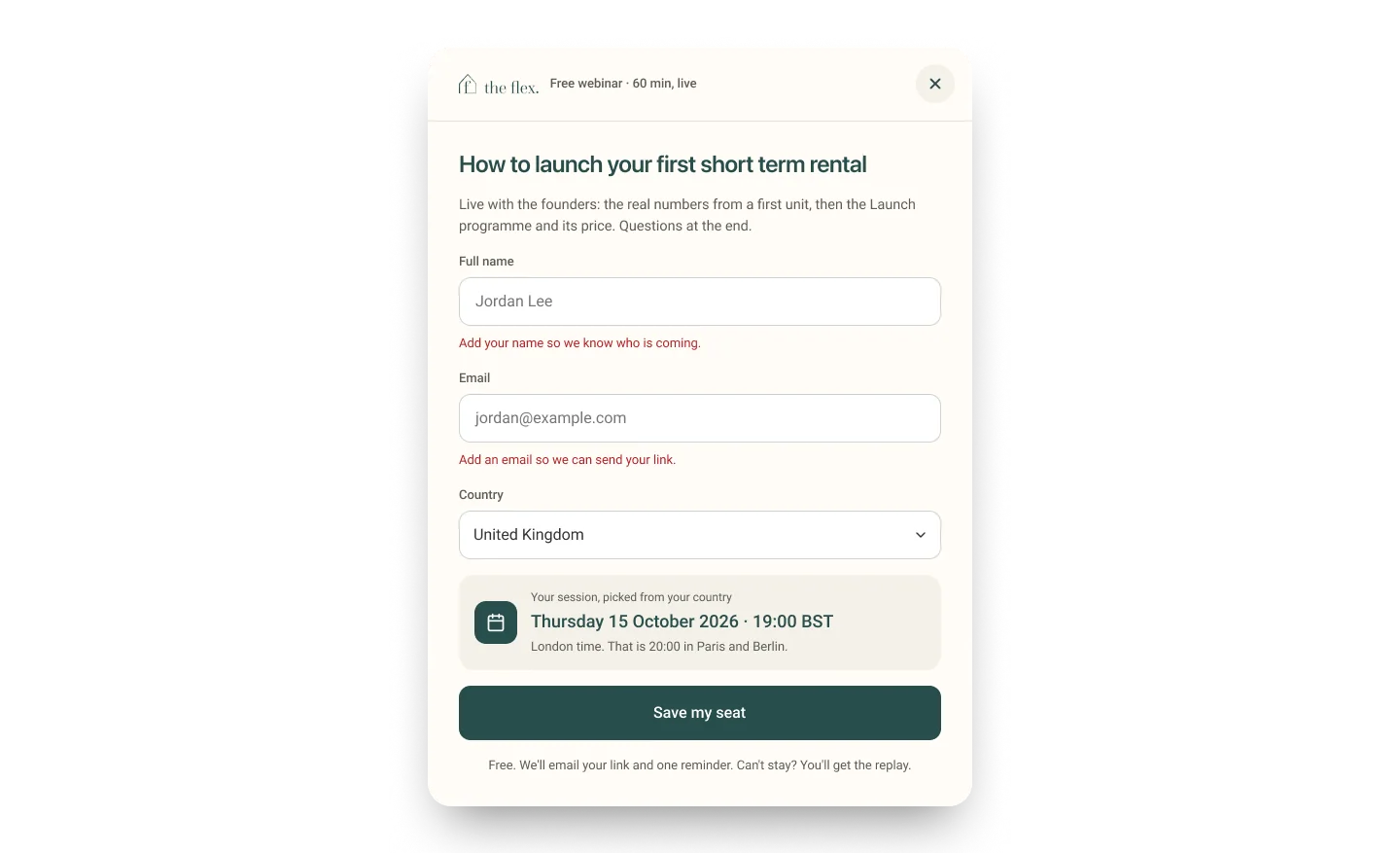
The surrounding interactions matter just as much as the landing page: registering for a webinar, requesting a checklist or scheduling a strategy call each needs useful guidance, feedback, validation and a clear completion state.
One system, two starting points.
The file contains dedicated Starting and Scaling page views, alongside a live page designed to switch between them. Reusing an overall structure reduces navigational fragmentation while giving each path its own context.
This is an observed design structure, not evidence of a measured increase in conversions.


Turn interest into an understandable action.
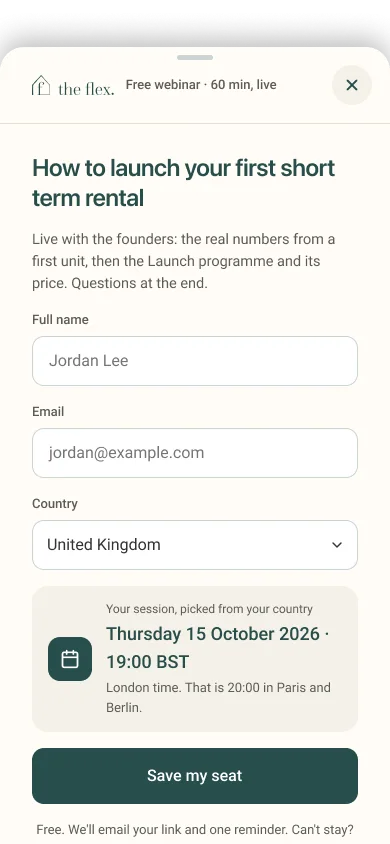
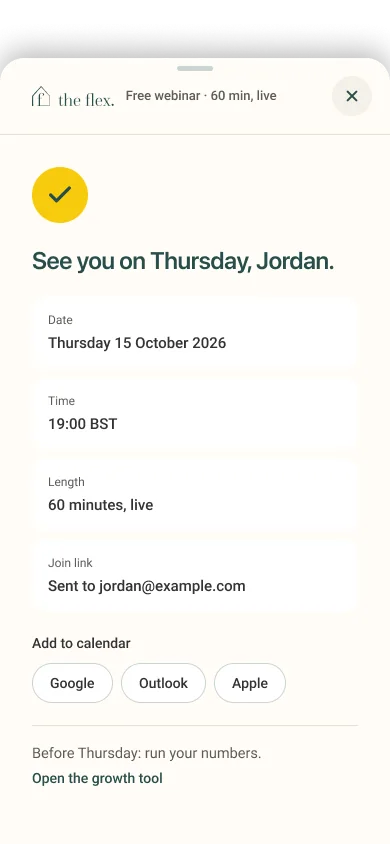
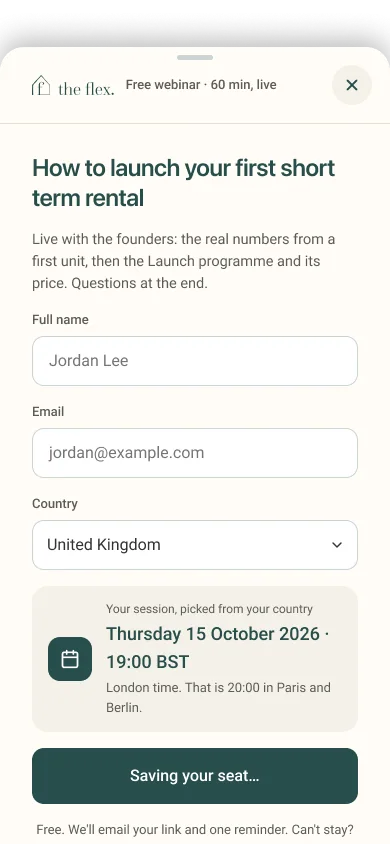
The webinar sequence includes entry, a saving state, field errors and confirmation. Showing the result of a submission is part of the experience, not an afterthought.
These separate Figma frames document intended behavior; an editorial transition between them should not be described as a recorded live prototype.
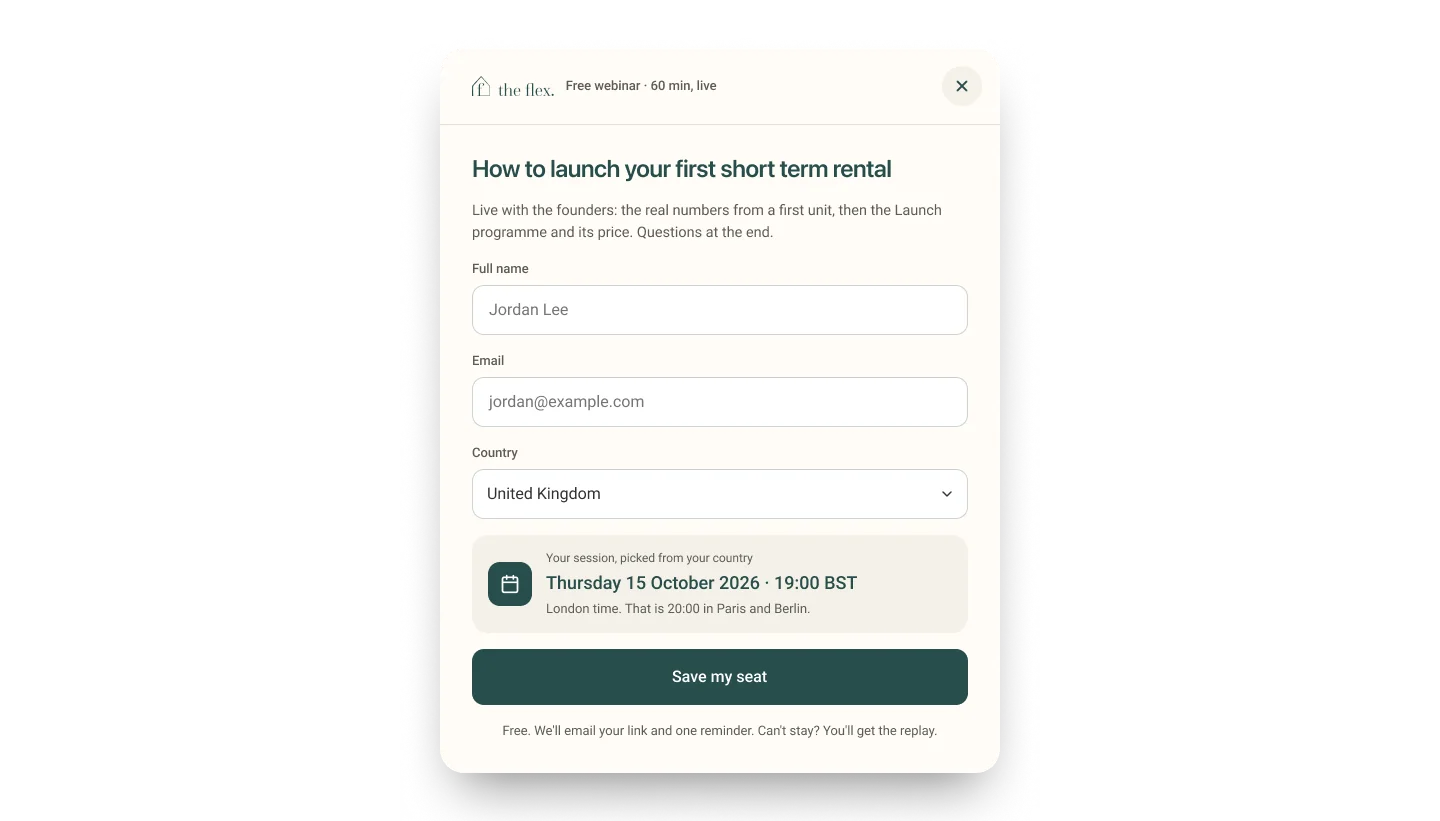
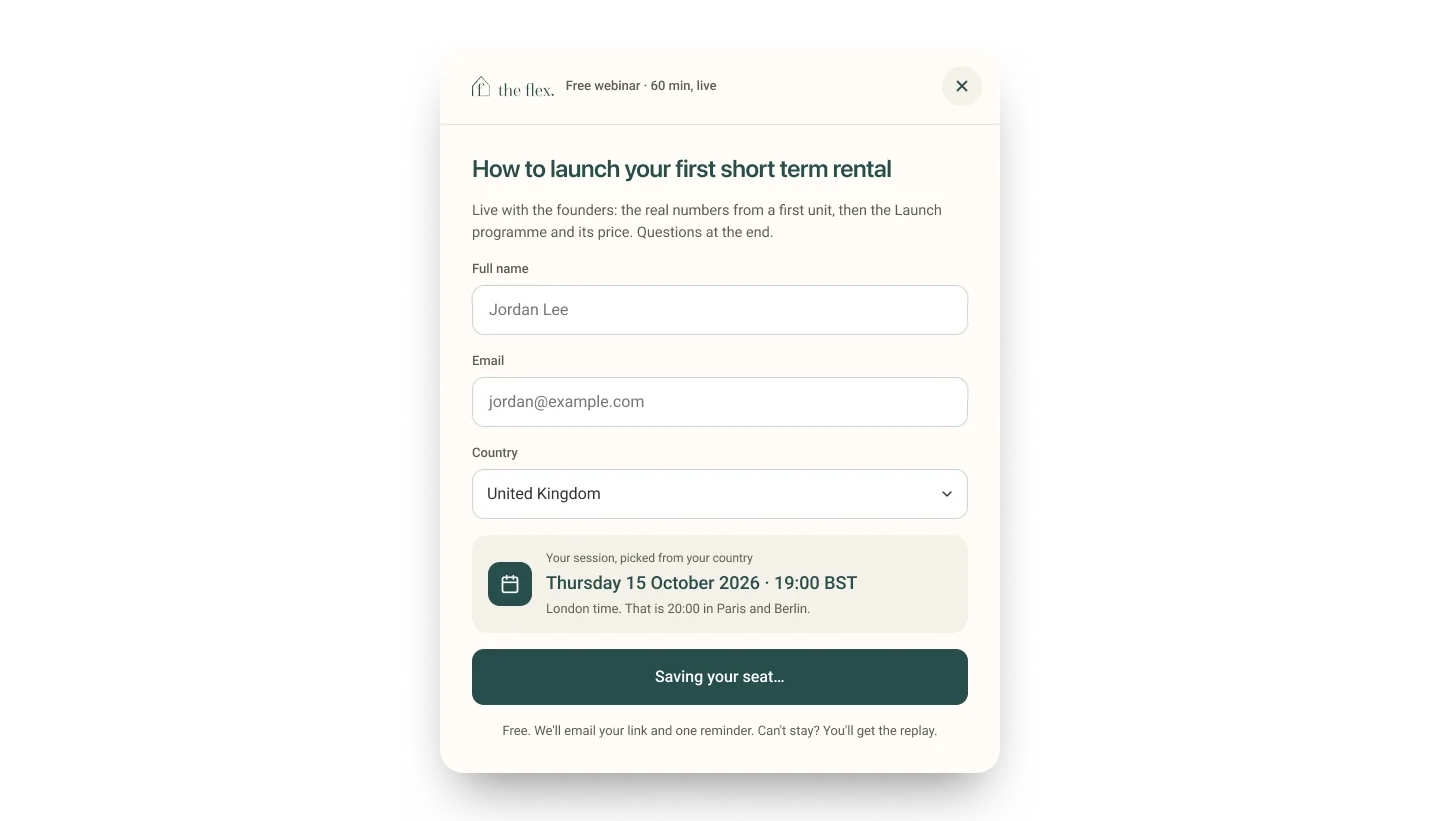
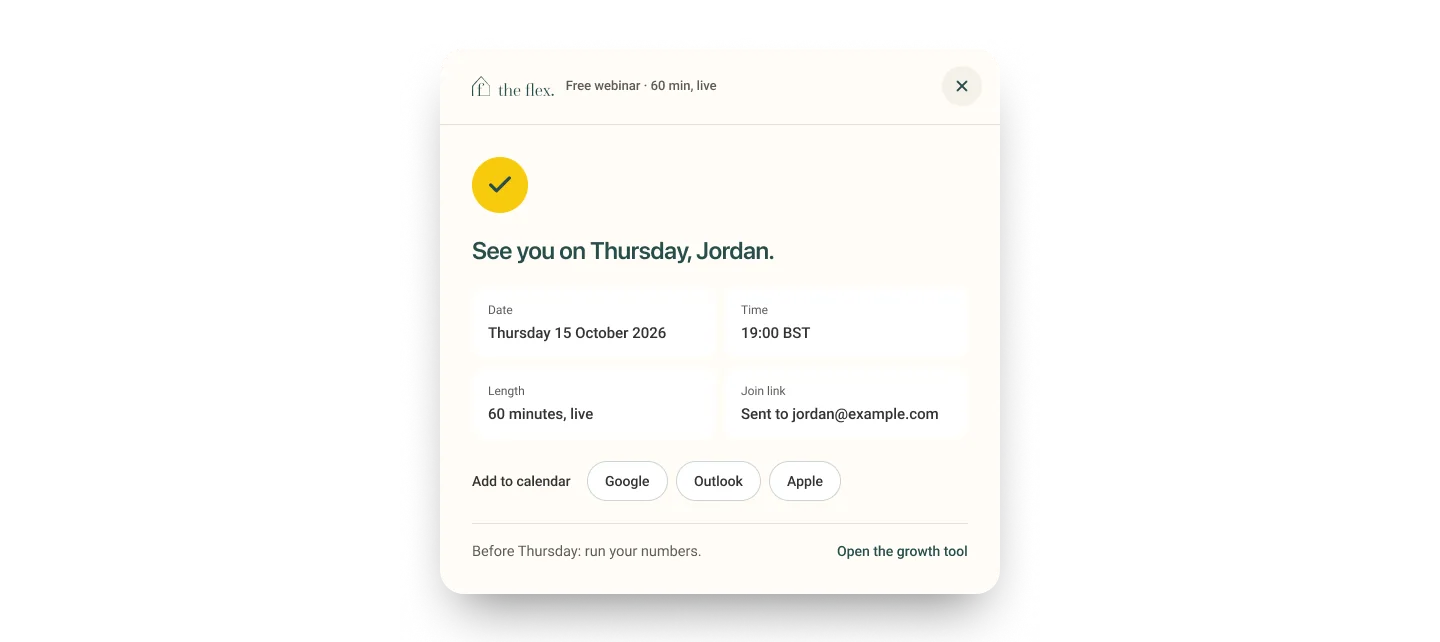
Make the small commitment count.
The checklist journey pairs a short request form with an explicit sent state. The design anticipates validation errors instead of assuming each entry succeeds.
A polished case study should present these as a sequence of meaningful states, not simply a gallery of modal designs.


Guide a more considered commitment.
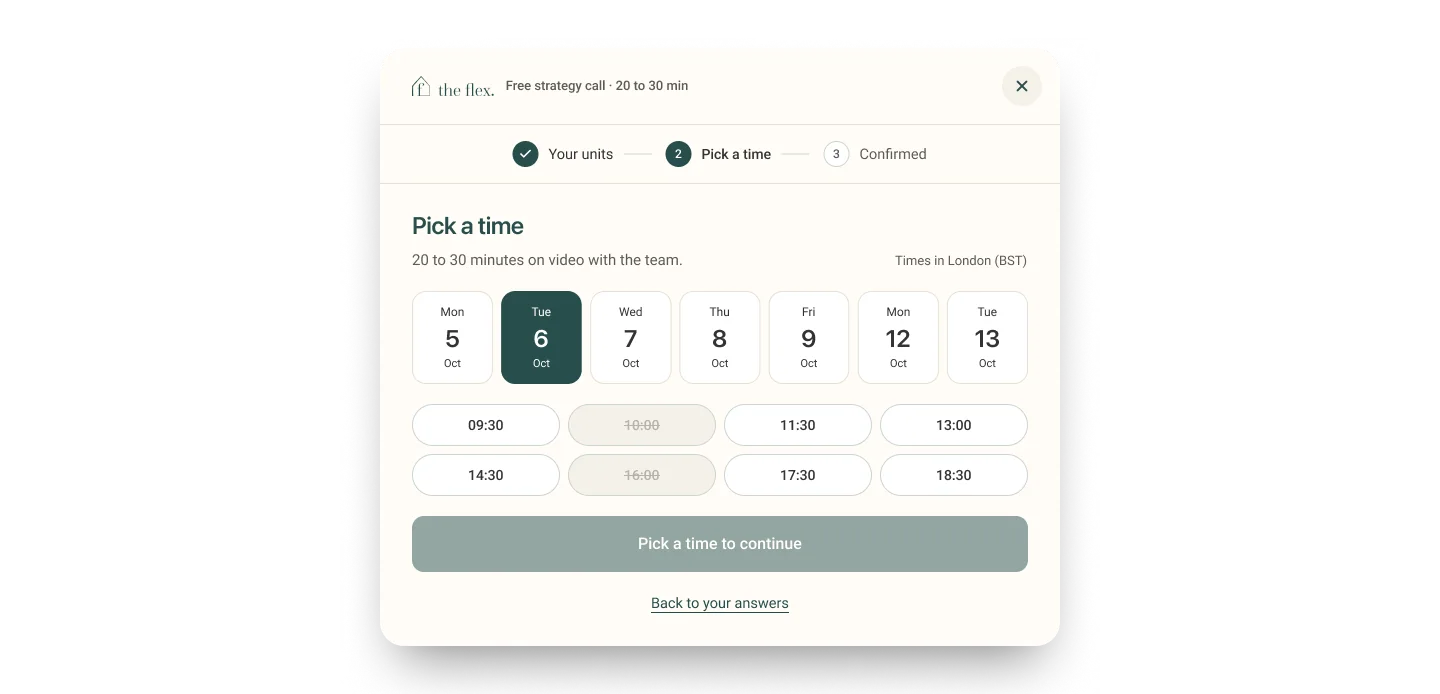
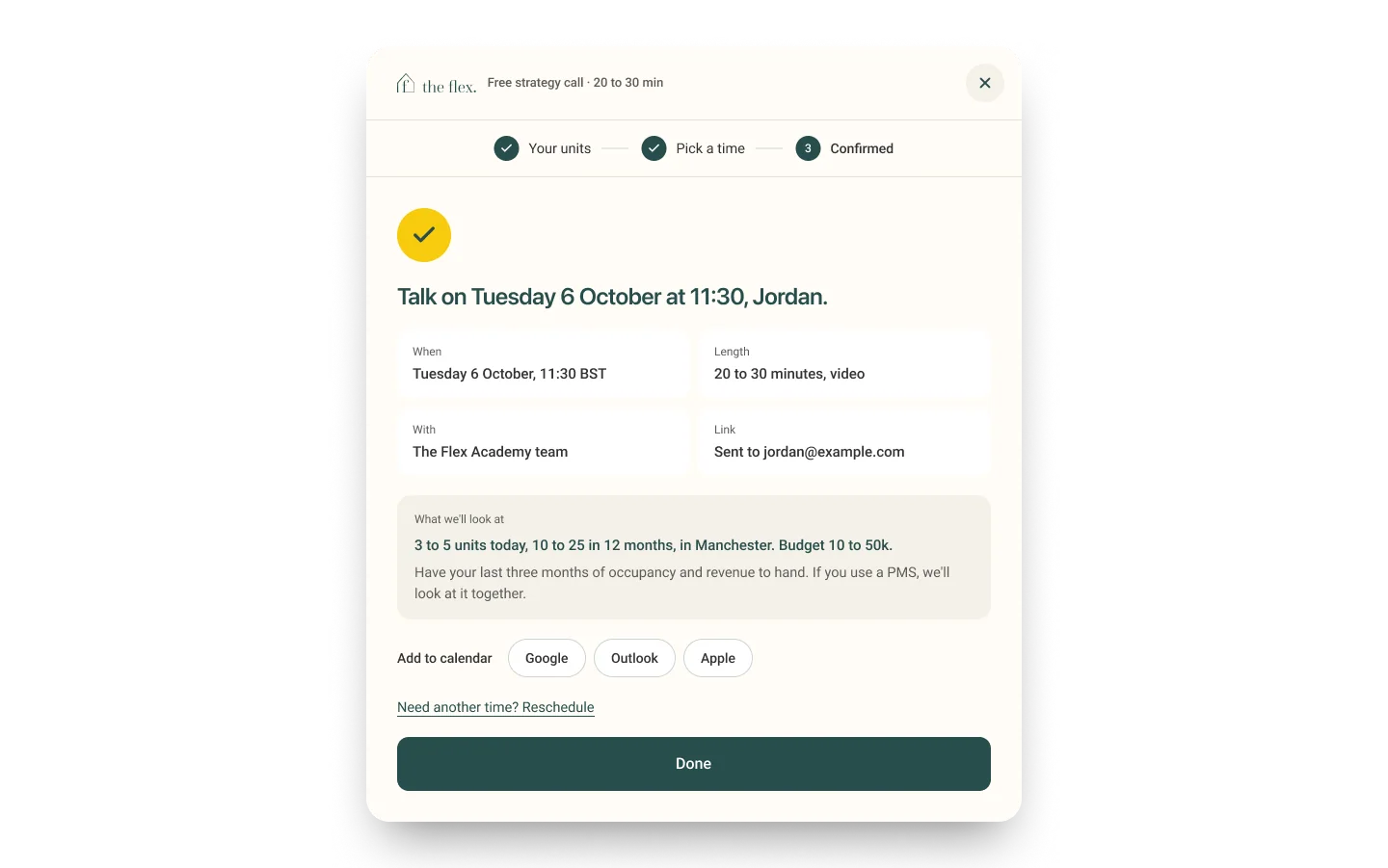
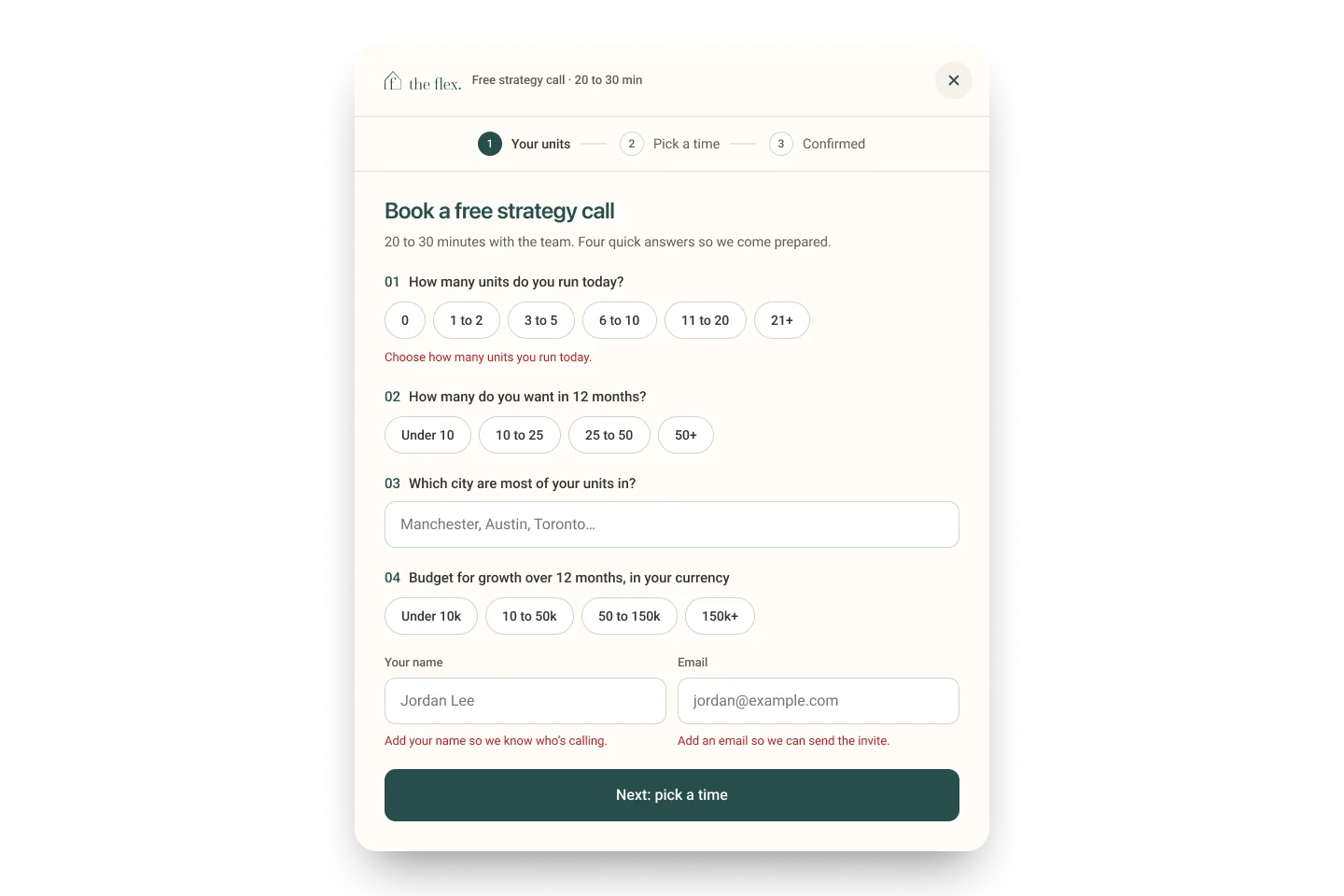
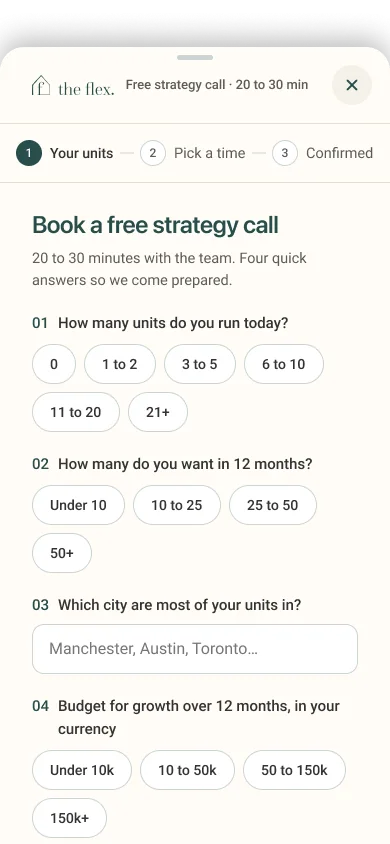
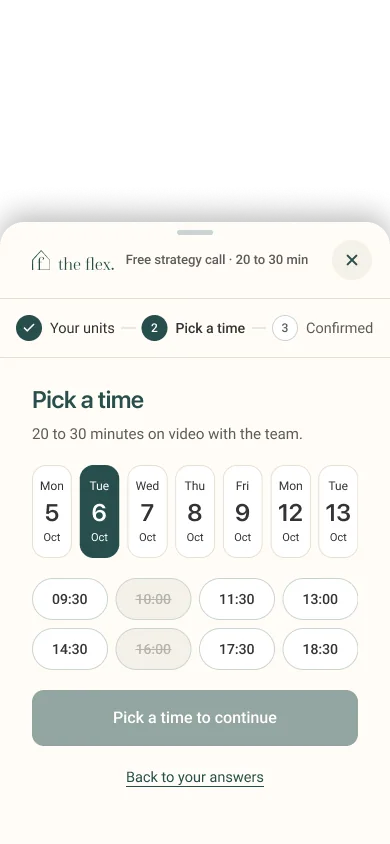
The strategy-call flow separates information about the business, time selection and confirmation. That sequencing can make a more complex action easier to understand.
Error states are designed for the first step. Usability outcomes and conversion performance would require actual test or analytics evidence.
Preserve the journey as the layout changes.
The file includes desktop and mobile starting/scaling layouts, mobile menus, dialogs and confirmations. This provides evidence of a full responsive exploration rather than a single desktop treatment.
Further validation should assess touch targets, keyboard and focus states, long-form content scanning and friction through the mobile flows.


Go beyond screens to measurable progress.
This design demonstrates multiple end-to-end interaction states and responsive variants. The next layer of evidence is research: which audience needs which information, whether people understand the path switch, where they hesitate, and whether they finish important actions.
The existing written case study is stored as a Figma SPEC_BLOCK. The Figma design API does not return its paragraphs, so this account is deliberately grounded in the observed frames rather than presented as a transcription of that document.
A good learning experience is not only about content. It is about helping the right person recognize a next step and complete it with confidence.
This is a design-evidence narrative based on accessible Figma frames. The separate Figma SPEC_BLOCK case-study text was not accessible through the design API. Confirm original narrative, role, collaborators, metrics and project sharing permissions before publishing.